
thing 15: library/web 2.0

Librarians should be on the forefront of providing information services to users, but for some reason, we have a sizable contingent who seem to think that the innovations of the 70s and 80s are good enough for now. They’re the ones most often reacting negatively to anyone who mentions anything Library 2.0.

Anytime someone mentions some new web tool or gadget, and you think or say, “We don’t need that in our library!” or “What would you want to use that for?” stop for a moment. Do you use a computer in your daily library work? Do you use email to communicate with your colleagues and users? Have you talked to someone on the phone recently? These are all technologies that at some point in time, someone(s) didn’t think were needed in a library. They were wrong.

Maybe you don’t need to be on Twitter or Facebook to reach your users. (In fact, there have been many informal studies that indicate that students don’t want us in their social spaces.) But, you can use online social networking tools to expand your professional network, learn about what your colleagues are doing to improve services in their libraries, and share the things you are doing in your own library. Surely those are things that benefit the profession?

These things that people talk about as Web 2.0 are simply tools. You can choose how and when you will use them.

Library 2.0 has been used to describe a mindset that is open to exploring these tools and using them to enhance library services, but I think that has been a part of our profession for a long time. Library 2.0 was there when we began moving from card catalogs to online public access terminals. Library 2.0 was there when we opened up the stacks and allowed users to browse the shelves. Library 2.0 was there when we created free, circulating libraries that allowed anyone to access the knowledge they contained.

The philosophy of Library 2.0 isn’t anything new, we’re just using different words to describe what we already do best — exploring innovative ways to connect users with the information they are seeking.
thing 14: Technorati

The first thing I got out of this assignment was the final push I needed to subscribe to Lifehacker, rather than continue to rely on the biblioblogosphere to filter out the “important” stuff from it. The next step, of course, will be reading it frequently enough to keep from getting overwhelmed and behind. Unfortunately, I’m already 14 entries behind on Zen Habits, so overwhelmed and behind is a distinct possibility.

I haven’t really found much use for Technorati. It’s handy to have for doing ego searches (i.e. who’s linking to me), but beyond that, I have so many sources of information that this is one more that I don’t need. However, if you’re looking for what’s hot or interesting in blogs, it’s a good place to start.

consuming music

I need to let myself really listen to the music I consume, rather than (to further the metaphor) mindlessly move my hand from bowl to mouth.

Last night, I went to see Missy Higgins at the Birchmere in Alexandria, VA. It’s probably the smallest venue she’ll be playing at in this area, given the sold out show and the number of folks trying to get tickets that day. We ended up with seats that had a good view of the whole stage. It was a blast!

About a month ago, I had given my friend, Holly, a copy of both The Sound of White and On a Clear Night, which apparently have not left her CD player since. For Holly, it was a strange experience to be at a concert for a (relatively) unknown artist and know every single song. For me, it was a wake-up call that I have been consuming too much music and not spending enough time on any one album to get to know it as well as I used to.

Even though I’ve been a fan of Higgins for about two years, I knew maybe a third to a half of the songs she played — the rest were vaguely familiar, but not old friends like they should have been by now. What kind of a fan am I? One with too much music and not enough time to listen to it all. A blessing, but also a curse.

When I was younger, I would listen to a single album on cassette tape for hours and hours. The best piece of electronic equipment in our house (in my opinion) was the stereo that had the cassette player that could reverse directions to play the other side without having to flip the cassette around. Now that I can afford to buy or cheaply trade for new music, my focus has shifted from completely absorbing an album because I wasn’t likely to get another for at least six months to amassing as many new albums as I can as quickly as I can.

I need to slow down. I need to let myself really listen to the music I consume, rather than (to further the metaphor) mindlessly move my hand from bowl to mouth. Pay attention to the lyrics, to the layers of sound, to the complexities of the composition. One brief run through the tracks while I am doing something else isn’t going to cut it.

thing 13: del.icio.us

When social bookmarking sites came on the scene, I was very resistant to using them. I had an organized system of bookmarking sites I visited regularly or sites that I needed to reference occasionally, and the del.icio.us format for displaying bookmarked URLs seemed cluttered and unorganized to me.

Fast-forward about five years, and we are now in a world where tagging and folksonomy are no longer scary new concepts (well, to those of us who have been reading, writing, and talking about them in the mean time). Tagging is now almost a requirement for a Web 2.0 service, and I use it frequently to keep track of things I want to go back to later, or to categorize what I am looking at.

About a year ago, I started using the del.icio.us extension for Firefox. At first, it was just a long list of the tags I used and had to be manually updated. Now it’s fully integrated with automatic syncing and the very useful search box (from the sidebar). It has nearly replaced the bookmark tool native to Firefox as my primary source of collected URLs that I find important to me. The best part is that I can access my bookmarks no matter which computer I am using, and this has come in handy on many occasions.

As I noted, I still use the bookmarking options within Firefox and do not send these things to my del.icio.us bookmarks, either. Mainly these are the sites I visit frequently, and I have them in my Bookmarks Toolbar folder so they’re just one click away. I have another folder of links to the tools that we use for on-call reference (Meebo, Ref Desk webmail, and LibStats), and I can tell Firefox to open all of the bookmarks in that folder with one click when my on-call shift begins.

One thing I’ve started doing with del.icio.us is creating sets of links that I can share with other people. I was inspired by a Computers in Libraries presentation on using del.icio.us for creating on-the-fly lists of resources for individuals and classes. If you’re interested, you can check out the list of podcasts I’m currently subscribed to.

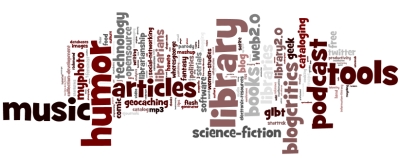
Since I haven’t jumped on the Wordle bandwagon yet, and since it was a bonus activity for this thing, here’s the Wordle cloud for my del.ico.us tags:

wordle cloud of my del.icio.us tags

day in the life of an electronic resources librarian

I am participating in the DILOLibrarian project today. This account is by no means comprehensive or reflective of every aspect of my workday, since each one is different depending on the volume of things demanding my immediate attention. However, it may be of interest to my non-ER librarian friends, as well as newly minted librarians and those who are considering this profession.

  • 8:45-9:00am Arrived at work, a bit late because my carpool driver and I miscommunicated about today’s plans. Turned on computer, got a cup of coffee, got a breakfast bar, and started this post.
  • 9:00-9:30am Read and responded to new mail that has accumulated since Thursday afternoon. Sorted messages that require more than a brief response into Information and To-Do piles.
  • 9:30-9:35am Generated a list of print + online and online-only science titles from our Ebsco subscriptions and gave it to the electronic resources associate, per his request. The serials associate and ILL associate both need this info, particularly since we converted as much as possible to e-only this year.
  • 9:35-10:15am Sorted through the various to-do lists (both email and Outlook Tasks reminders, as well as a few scraps of notes on paper) and worked on them from oldest to newest. One item was to call back a publisher, but their phone system has been screwed up since last Thursday, which I discovered when I tried again. Also, they gave me the New Jersey office number, not the (correct) New York office number. *headdesk*
  • 10:15-10:25am To-do email sorted and cleared from the pile. Reviewed email tagged “waiting for a response” and followed up on those. These are mainly notes from publishers with information regarding electronic resource subscriptions that had been requested by subject liaisons. I hang on to the messages until a decision has been made.
  • 10:25-11:00am Took a break from email to work on two of last week’s TechLearning tasks, which I completed just before Andy sent out the email announcing this week’s tasks. Filed those items away in my Outlook Tasks with due dates set for Friday.
  • 11:00-11:25am Processed new email that had arrived over the past hour. Took a short break away from the desk. Sent suggested training dates/times to a vendor for a new product we have purchased.
  • 11:25-11:30am Checked NASIG executive board email and responded to messages.
  • 11:30-11:40am Reviewed and assessed email in the “information” category. Cleared out some items that are no longer needed.
  • 11:40am-12:10pm Read through some of the issues on the stack of routed professional journals. I haven’t had any desk time lately, just on-call, so I’ve slipped behind on those.
  • 12:10-1:30pm Lunch. Ran errands that took longer than expected.
  • 1:30-1:50pm Processed new email (see a theme here?), answered an IM question from a colleague, and checked on my pals on Twitter & FriendFeed.
  • 1:50-3:00pm Finished up professional reading backlog.
  • 3:00-4:50pm Worked on checking a spreadsheet of electronic resource holdings against what is listed in Serials Solutions. Added/deleted titles, collections, and holdings as needed. Also, paused frequently to respond to email messages as they came in.
  • 4:50-5:15pm Browsed through the last couple of hours of tweets. Processed additional email.
  • 5:15-5:20 Checked NASIG executive board email again.
  • 5:20pm Decided I had done enough for today, so I typed this and… publish.

thing 12: Rollyo

Blogcritics used Rollyo for a while a couple of years ago, and I was never happy with the search results or the way they were displayed. It could have been some setting that BC used, but I assumed it had more to do with the way Rollyo works.

When I was at Blogworld last fall, I chatted with the folks at the Lijit booth for a while and made a note to take a look at their product when I got home. Apparently so did Phillip Winn, the Blogcritics Chief Geek, because not long after, Lijit replaced Rollyo as the site’s search tool. It’s worked out well.

Rollyo’s web search is powered by Yahoo Search, so I can’t see why I would want to use it as a general search engine. I think that Rollyo’s best value is as a search engine that looks at a specific collection of websites. This might be handy in a library if you have, for example, a number of different digital collections being served up from different domains or subdomains. With a Rollyo (or similar) service, you could build a single search interface for them. That is, if you don’t mind sending your users to a site that mixes in six paid links for each page of ten results, in addition to side-bar advertisements.

thing 11: LibraryThing

I have had a LibraryThing account since mid-October 2005. Most of my collection is in there and tagged, and I’ve even started keeping books in my catalog that I no longer own (appropriately tagged, of course), just so I can keep a record of what I have had at some point.

If you look on my blog, you’ll see that I am using the LibraryThing widget to display a random book from my catalog. This changes every time the page loads, and sometimes I am surprised to see what is there. As I’ve noted several times in the past, I have more books in my house that I have not read than those which I have read.

If you’re new to LibraryThing and you have a large collection of books that are new enough to have barcodes printed on them, I recommend you purchase a CueCat scanner. It will speed up the process of getting everything in, and then you can take more time to tag, make notes, or do whatever else you may want to do to tweak your library to suit your needs.

What I have not done yet is to make use of the Recommendations, mostly because of the aforementioned over-abundance of reading material in my possession. Also, I’ve already read many of the books listed or they are already on my wishlists. Eventually, I plan to import my book wishlists into LibraryThing. I am doing that with my music collection on RateYourMusic, and I can see the value of having all that together in one place.

thing 10: image generators

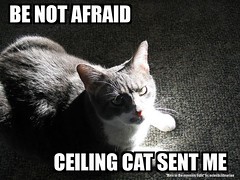
For this assignment, we are asked to look at several different online image generators/editors. The first is fd’s Flickr Toys, which I have played with in the past. However, I am surprised to see how many nifty tools they have now — far more than the memes that have invaded my online social network. I will probably find use for CD Cover, Motivator, and Lolcat Generator. (If you’re a new WordPress user and you want a spiffier header than the default, check out the Blog Header tool.)

Dumpr seems to be similar to fd’s Flickr Toys, except that a handful of the more interesting tools require a pro membership to use, which does not impress me. If I’m going to pay for something like that, I might as well learn how to do it myself in Photoshop or GIMP.

BE NOT AFRAID - CEILING CAT SENT ME

#17

It has been nearly a month since I last finished a book for pleasure, although I am slowly reading my way through a couple others, and I read and reviewed a book for The Journal of Electronic Resources Librarianship (which may or may not be published — I won’t know until the issue is printed ’cause that’s how my editor rolls). Last night, I was feeling bored of my usual procrastination tools, so I decided to do a bit of fluff reading. It had to be short, though, because it was already past midnight, and I needed to get a little sleep eventually.

My selection came from among the stack of old Star Trek books on my to-be-read shelves. These are always good for a light read and stories that (usually) wrap up on the last page. This one was nearly what I wanted. The Starship Trap by Mel Gilden was your typical Trek story, but his characterizations weren’t particularly compelling. Mainly told from Kirk’s perspective, there were several rabbit holes that seemed to go nowhere, in addition to some of Kirk’s behavior being slightly out of character.

The hard science fiction aspect of the Aleph plot device was, at least, interesting. Much more so than the villain’s fixation on 19th and 20th century European and American classic literature or one of the minor character’s obsession with the American Old West. C’mon, Gilden — your ethno-centric roots are showing! For all the aliens and cultures on Star Trek, there is a disproportionate number of stories with references to American or European modern (to the reader) history.

thing 9: finding RSS feeds

Part of why I have so many RSS feeds in my reader (234 at the moment — picked up three more this week) is because it is so easy to subscribe to things I run across in my day-to-day online activity. I’m currently using the Better GReader plugin for Firefox, which compiles some of the best Greasemonkey scripts for Google Reader. One thing I really like about it is the “Auto Add to Reader (Bypass iGoogle Choice)” feature, which saves me a few clicks.

This particular assignment asks us to make use of directories like Technorati and Feedster to locate feeds we want to subscribe to. I’m going to not do that, since I already have more to read than I have time to read. In any case, those tools have not been particularly useful to me in the past. I tend to find new feeds through links from the ones I’m currently reading.