Internet Librarian 2010 is just around the corner

Monterey is awesome! #il2009
from Internet Librarian 2009

I’m heading off to Internet Librarian later this week, and let me tell you, I’m pretty excited about it! There will be lots of sharing of ideas, both in sessions and later over beers. I’ll also be giving a presentation on Wednesday morning on electronic resources workflow tips & tricks, along with my colleagues Emily McElroy and Bonnie Parks. I’m not sure if I want a large audience (yikes!) or a small audience (*sad panda*), as both come with their unique panic moments.

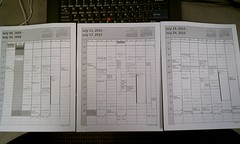
Here are the sessions I’m planning to attend, which will likely change while I’m there, and some are double-booked, so I’ll have to make an on-the-spot decision about which to attend:

Sunday

  • Gaming & Gadgets Petting Zoo

Monday

  • Adding Value to Your Community
  • Dashboards, Data, and Decisions
  • Managing Your Library’s Online Presence
  • Next Gen Discovery Systems OR Beyond 23 Things: For Staff & for Patrons

Tuesday

  • Adding Value: CIO Insights
  • Personal Content Management
  • Failcamp OR Applying User Experience (UX) Design
  • Augmented Reality & Libraries OR Patron-Driven Ebook Acquisition
  • Videocasting, Innovating, & Creating New Ideas
  • Rip Van Winkle’s Libraries in 2510

Wednesday

  • Planning & Designing for Attention
  • Tips, Tricks, & Workflows for Managing Digital Resources <– that’s mine
  • Best Free Web Stuff for Broke Libraries
  • Digital Librarianship: Open Access & Web 2.0
  • Adding Value Through Visualization

it could be worse

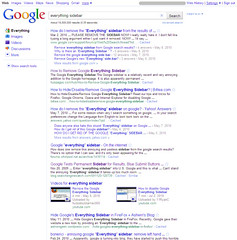
Have you noticed the changes Google has been making to the way they display search results? Google Instant has been the latest, but before that, there was the introduction of the “Everything” sidebar. And that one in particular seems to have upset numerous Google search fans. If you do a search in Google for “everything sidebar,” the first few results are about removing or hiding it.

Not only that, but the latest offering from the Funny Music Project is a song all about hating the Google “Everything” sidebar. The creator, Jesse Smith, expresses a frustration that many of us can identify with, “It’s hard to find a product that does what it does really well. In a world of mediocrity, it’s the exception that excels. Then some jerk has to justify his job by tinkering and jiggering and messing up the whole thing.”

Tech folks like to tinker. We like making things work better, or faster, or be more intuitive. I’ll bet that there are a lot of Google users who didn’t know about the different kinds of content-specific searches that Google offered, or had never used the advanced search tools. And they’re probably happy with the introduction of the “Everything” sidebar.

But there’s another group of folks who are evidently very unhappy with it. Some say it takes up too much room on the screen, that it adds complexity, and that they just don’t like the way it looks.

Cue ironic chuckling from me.

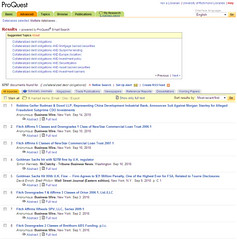
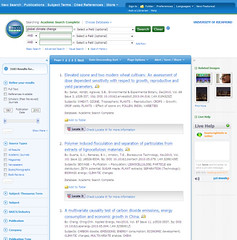
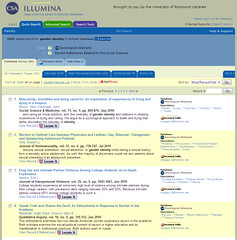
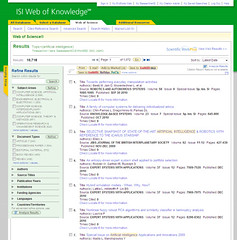
Let’s compare the Google search results screen with search results from a few of the major players in libraryland:

Google

ProQuest EBSCOhost

CSA Illumina ISI Web of Knowledge

So, who’s going to write a song about how much they hate <insert library database platform of choice>?

librarian day in the life #5

Electronic Resources Librarian, Academic Library

iced teaArrived, turned on my computer, and while it booted up, I went and got an iced tea from the café.

Processed new email and scanned a document that I don’t need to retain in paper.

Attended weekly department meeting. We were extra chatty today and went 15-20 min longer than normal.

Worked my way through the action item email messages due today, including updating a resource description on the website and responding to a few inquiries.

Discussed with a co-worker ways we could use GoodReads for the library staff book discussion.

Discussed QR codes and their usefulness/popularity with a co-worker. Used the opportunity to yet again show off how my Android phone is as spiffy (if not spiffier) than his iPhone. I reserve this for Apple fanboys only.

Remembered again that this is DILO librarian day and began this entry.

calendarCaught up on journaling accomplishments from the past three weeks. I’ll thank myself next year when I have to write my annual review. I normally try to do this at the end of each day (I use Memiary), but I’ve been lazy about it, and then overwhelmed by the backlog.

Continued working through today’s action items while chatting with a colleague via IM about the online resource renewal decision workflow/tool that I stole from her. Well, stole the concept, anyway. Learned about something else I can steal, too.

Planned out my project schedule for the week. Then left for lunch with a friend in the dining hall..

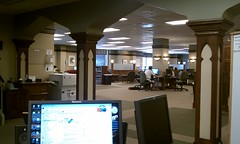
view from the deskBack from lunch and on the Main Service Desk for two hours. Tried to track down a phone number of someone in rural Virginia. Answered an IM question from a law student about borrowing a netbook. Notified building manager that a copier is out of paper. Directed a software question to the Help Desk. Directed a product trainer to the conference room. Directed users to the bound journals. Referred a business student to the business librarian. Checked out a netbook to a user. Looked up a book for an IM user. Read some RSS feeds. Smiled at people passing by the desk.

Back to my cube and sorting through the email that has come in since before lunch. Only one new action item out of the pile. Whee!

Played around with some wiki software options for a departmental intranet. Still haven’t found the right combination of features and function.

Was about to start in on a project when I noticed that there wasn’t a Technorati tag description for librarydayinthelife, so I pulled something together and submitted it. Rewarded myself with peanut butter crackers and a Coke Zero.

Finally got into my current project, which involves pulling together information about our database subscriptions so that we can easily review upcoming renewals well in advance of the deadlines. Tweaked the Access tables, queries, and reports, and then set to adding more data. Worked on this until it was time to go home.

RALC Lightening Round Micro-Conference: Afternoon Sessions

Laura Westmoreland and Donna Coghill: “Walk-In Research & Writing Clinics: A Progress Report”
More in-depth than the library service desk, but less than what they’d get at the writing center, with the option to work with a librarian or writing consultant. They do it in two hour shifts that are regularly irregular, and each shift includes one librarian and one writing consultant. Last fall, they saw over two users an hour, but they weren’t coordinating with the writing center. In the spring, they coordinated with the writing center and reduced hours, which resulted in a decrease to under two users an hour. It might be seasonal, or something else about the service that wasn’t clicking as well with the students.

Erin White: “Mobilizing your library website”
Used analytics to determine the popular pages hit by mobile users. They paid close attention to what other libraries were doing with their mobile sites to avoid reinventing the wheel (i.e. NCSU Libraries). They also included a mini feedback form at the bottom of every page of the mobile site, and the message sent includes details about the device used. The most popular pages tend to be information pages like hours, events, and computer availability.

Olivia Reinauer: “Creating SLACers: The Formation of a Student Library Advisory Committee”
In 2006, a think team put together a recommendation to create a standing library advisory committee populated by students in order to have a better idea of the needs of current students. They copied liberally from VCU’s student advisory committee to create the charge and structure. One thing that VCU that was different was actually paying the students an honorarium, so they did that, either as cash or in the form of a gift card. They meet once a month to discuss ideas gathered from colleague’s work and go through the suggestions from the suggestion box, using the students as a sounding board. They also have guest speakers come and talk about things happening in the library, which the students like because it makes them feel engaged. Some issues involve getting them to do things outside of the meetings and providing more enticing compensation.

Abiodun Solanke: “Did you find my…?: Lost and Found Issues at UR Library”
Students leave physical and electronic materials all over the library, from books and clothing to unsaved documents on public computers. When we find the items, they are happy, and of course disappointed if not found. The student activities also keep lost and found items. If the item is not financial or an ID, they take photos and display them on the lost and found cart, along with “safer” physical items like clothing and books. If the items are never claimed, we repurpose them for use locally or send them to other organizations. Before that happens, several attempts are made to locate the owners and contact them.

Carrie Ludovico: “LibGuides for Foodies”
Using LibGuides to engage with the community. The campus has a strong green emphasis, from bikes to hybrid parking to a community garden. The newest benefit is a CSA option for employees from June – September for full and half shares that are delivered on campus, and it has been more popular than the organizers expected. So, they created a LibGuide to highlight interesting and supportive resources. The most used tab is the scholarly and government resources, more than books, cookbooks, and recipes.

Betty Dickie: “Read This!”
Anything by Christopher Moore, for certain. David Maine tends to take Bible stories and rewrite them in interesting ways. A Canticle for Leibowitz – the library plays an important role. Alessandro Boffa’s You’re an Animal, Viskovitz! is small but mighty. Louise Penny has gotten good reviews for good reason – recommended for murder mystery fans who like good stories and character development.

Carol Wittig: “Boatwright Knitters”
They meet one day a week at lunch. It encourages home/work balance, improves morale, addresses the whole person beyond the job, increases cross-campus outreach, and builds bridges to reach diverse groups. You can involve the whole staff by “sponsoring a knitter” to pay for the yarn. They have a Ravelry group, a blog, and a set of Flickr photos of projects. Right now, they are a student organization, but don’t have enough student participation, so they’re working on outreach in that area. They’ve done charity projects like Knit One To Save One and caps for chemo.

Travis Smith: “The End”
There are many negative connotations about “the end,” so he wrote a poem. You’ll have to ask him for a copy.

RALC Lightening Round Micro-Conference: Morning Sessions

Andy Morton:  “5-minute madness – The Madness Concept”
He’s on the desk at the moment, so he made a video.

Teresa Doherty: “Cool sounds for Aleph Circ Transactions”
Originally presented at ELUNA as a poster session. They use custom sounds and colors to indicate specific circulation transaction alerts, i.e. checkin/checkout alerts. The sounds were selected because they’re short and fairly expressive without being offensive to users who may hear them.

Amanda Hartman: “Reaching Millennials: Understanding and Teaching the Next Generation” 
Those born 1980-1996-ish. These are generalizations, so they don’t describe everyone fully. They’re special and sheltered, team and goal oriented, more likely to be involved in community service, digital natives (mainly mobile tech) but don’t necessarily understand all of the implications or functions, impatient, and multi-taskers. They consider themselves to be relatively savvy searchers, so they may be less likely to ask for help. They have certain expectations about tech that libraries often can’t keep up with. They want learning to be participatory and active, with opportunities to express themselves online, and they have a sense of entitlement – get good grades for hard work, not necessarily for the product of the work. Libraries should have a mobile website. Hire staff that can support tech questions. Provide group workspaces. Explain why, not just how.

Deborah Vroman: “Errors, errors, everywhere! Common citation errors in Literature Resources from Gale”
Until recently, Gale was giving incorrect page ranges for citations for articles reprinted in their collections.  The problem is now fixed by removing the page numbers.

Anna Creech: “Lies, Damn Lies, and Statistics”
Uh, that’s me.

Suzanne Sherry: “Goodreads: I read, you read, everybody READS”
Social networking site for readers. You start off with read, to-read, and currently reading, but you can add other tags that then form collections. Once you’ve read a book, you can rate it and write a review. While you’re reading the book, you can leave comments with updates of your progress. The social element is handy for recommending books to friends and discussing the books you read. There are tools for virtual book clubs and online communities for local book clubs.

Nell Chenault: “Scanning to Save or Send”
They have 12 scanning stations, both Mac and PC, including two slide scanners. Also, they have microform scanners instead of the old light box machines. In the past five years, they’ve seen use increase 325%.

Abiodun Solanke: “Netbooks or Laptops” 
In the last hardware replacement cycle, they replaced circulating laptops with netbooks. Cost, capabilities, and portability were factors considered. Some specialized programs could not be loaded, but there are many desktop computer alternatives. Student reaction appears to be divided along gender – male students thought they were too small, but female students liked them. They did a survey of users borrowing the netbooks, and found that over time the negative comments reduced. They concluded that initial reactions to new things aren’t always indicative of their success. Currently would like to add netbooks with Mac OS.

Darnell Law: “Up In The Air: Text-A-Librarian and Mobile Technologies at Johnston Memorial Library”
Implemented service at the end of the spring semester, so they haven’t seen much use yet. They’re using a service called Text a Librarian. Users enter a specific number and a short code at the beginning of the message. The questions are answered through the service website. The phone numbers are anonymized. Some of the advantages of this service include working with any carrier, not requiring a cell phone to answer the texts, relatively inexpensive (~$1100/yr), answer templates for quick responses, and promotional materials.

NASIG 2010 reflections

When I was booking my flights and sending in my registration during the snow storms earlier this year, Palm Springs sounded like a dream. Sunny, warm, dry — all the things that Richmond was not. This would also be my first visit to Southern California, so I may be excused for my ignorance of the reality, and more specifically, the reality in early June. Palm Springs was indeed sunny, but not as dry and far hotter than I expected.

Despite the weather, or perhaps because of the weather, NASIGers came together for one of the best conferences we’ve had in recent years. All of the sessions were held in rooms that emptied out into the same common area, which also held the coffee and snacks during breaks. The place was constantly buzzing with conversations between sessions, and many folks hung back in the rooms, chatting with their neighbors about the session topics. Not many were eager to skip the sessions and the conversations in favor of drinks/books by the pools, particularly when temperatures peaked over 100°F by noon and stayed up there until well after dark.

As always, it was wonderful to spend time with colleagues from all over the country (and elsewhere) that I see once a year, at best. I’ve been attending NASIG since I was a wee serials librarian in 2002, and this conference/organization has been hugely instrumental in my growth as a librarian. Being there again this year felt like a combination of family reunion and summer camp. At one point, I choked up a little over how much I love being with all of them, and how much I was going to miss them until we come together again next year.

I’ve already blogged about the sessions I attended, so I won’t go into those details so much here. However, there were a few things that stood out to me and came up several times in conversations over the weekend.

One of the big things is a general trend towards publishers handling subscriptions directly, and in some cases, refusing to work with subscription agents. This is more prevalent in the electronic journal subscription world than in print, but that distinction is less significant now that so many libraries are moving to online-only subscriptions. I heard several librarians express concern over the potential increase in their workload if we go back to the era of ordering directly from hundreds of publishers rather than from one (or a handful) of subscription agents.

And then there’s the issue of invoicing. Electronic invoices that dump directly into a library acquisition system have been the industry standard with subscription agents for a long time, but few (and I can’t think of any) publishers are set up to deliver invoices to libraries using this method. In fact, my assistant who processes invoices must manually enter each line item of a large invoice of one of our collections of electronic subscriptions every year, since this publisher refuses to invoice through our agent (or will do so in a way that increases our fees to the point that my assistant would rather just do it himself). I’m not talking about mom & pop society publisher — this is one of the major players. If they aren’t doing EDI, then it’s understandable that librarians are concerned about other publishers following suit.

Related to this, JSTOR and UC Press, along with several other society and small press publishers have announced a new partnership that will allow those publishers to distribute their electronic journals on the JSTOR platform, from issue one to the current. JSTOR will handle all the hosting, payments, and library technical support, leaving the publishers to focus on generating the content. Here’s the kicker: JSTOR will also be handling billing for print subscriptions of these titles.

That’s right – JSTOR is taking on the role of subscription agent for a certain subset of publishers. They say, of course, that they will continue to accept orders through existing agents, but if libraries and consortia are offered discounts for going directly to JSTOR, with whom they are already used to working directly for the archive collections, then eventually there will be little incentive to use a traditional subscription agent for titles from these publishers. On the one hand, I’m pleased to see some competition emerging in this aspect of the serials industry, particularly as the number of players has been shrinking in recent years, but on the other hand I worry about the future of traditional agents.

In addition to the big picture topics addressed above, I picked up a few ideas to add to my future projects list:

  • Evaluate the “one-click” rankings for our link resolver and bump publisher sites up on the list. These sources “count” more when I’m doing statistical reports, and right now I’m seeing that our aggregator databases garner more article downloads than from the sources we pay for specifically. If this doesn’t improve the stats, then maybe we need to consider whether or not access via the aggregator is sufficient. Sometimes the publisher site interface is a deterrent for users.
  • Assess the information I currently provide to liaisons regarding our subscriptions and discuss with them what additional data I could incorporate to make the reports more helpful in making collection development decisions. Related to this is my ongoing project of simplifying the export/import process of getting acquisitions data from our ILS and into our ERMS for cost per use reports. Once I’m not having to do that manually, I can use that time/energy to add more value to the reports.
  • Do an inventory of our holdings in our ERMS to make sure that we have turned on everything that should be turned on and nothing that shouldn’t. I plan to start with the publishers that are KBART participants and move on from there (and yes, Jason Price, I will be sure to push for KBART compliance from those who are not already in the program).
  • Begin documenting and sharing workflow, SQL, and anything else that might help other electronic resource librarians who use our ILS or our ERMS, and make myself available as a resource. This stood out to me during the user group meeting for our ERMS, where I and a handful of others were the experts of the group, and by no means do I feel like an expert, but clearly there are quite a few people who could learn from my experience the way I learned from others before me.

I’m probably forgetting something, but I think those are big enough to keep me busy for quite a while.

If you managed to make it this far, thanks for letting me yammer on. To everyone who attended this year and everyone who couldn’t, I hope to see you next year in St. Louis!

NASIG 2010: Serials Management in the Next-Generation Library Environment

Panelists: Jonathan Blackburn, OCLC; Bob Bloom (?), Innovative Interfaces, Inc.; Robert McDonald, Kuali OLE Project/Indiana University

Moderator: Clint Chamberlain, University of Texas, Arlington

What do we really mean when we are talking about a “next-generation ILS”?

It is a system that will need to be flexible enough to accommodate increasingly changing and complex workflows. Things are changing so fast that systems can’t wait several years to release updates.

It also means different things to different stakeholders. The underlying thing is being flexible enough to manage both print and electronic, as well as better reporting tools.

How are “next-generation ILS” interrelated to cloud computing?

Most of them have components in the cloud, and traditional ILS systems are partially there, too. Networking brings benefits (shared workloads).

What challenges are facing libraries today that could be helped by the emerging products you are working on?

Serials is one of the more mature items in the ILS. Automation as a result of standardization of data from all information sources is going to keep improving.

One of the key challenges is to deal with things holistically. We get bogged down in the details sometimes. We need to be looking at things on the collection/consortia level.

We are all trying to do more with less funding. Improving flexibility and automation will offer better services for the users and allow libraries to shift their staff assets to more important (less repetitive) work.

We need better tools to demonstrate the value of the library to our stakeholders. We need ways of assessing resource beyond comparing costs.

Any examples of how next-gen ILS will improve workflow?

Libraries are increasing spending on electronic resources, and many are nearly eliminating their print serials spending. Next gen systems need reporting tools that not only provide data about electronic use/cost, but also print formats, all in one place.

A lot of workflow comes from a print-centric perspective. Many libraries still haven’t figured out how to adjust that to include electronic without saddling all of that on one person (or a handful). [One of the issues is that the staff may not be ready/willing/able to handle the complexities of electronic.]

Every purchase should be looked at independently of format and more on the cost/process for acquiring and making it available to the stakeholders.

[Not taking as many notes from this point on. Listening for something that isn’t fluffy pie in the sky. Want some sold direction that isn’t pretty words to make librarians happy.]

NASIG 2010: What Counts? Assessing the Value of Non-Text Resources

Presenters: Stephanie Krueger, ARTstor and Tammy S. Sugarman, Georgia State University

Anyone who does anything with use statistics or assessment knows why use statistics are important and the value of standards like COUNTER. But, how do we count the use of non-text content that doesn’t fit in the categories of download, search, session, etc.? What does it mean to “use” these resources?

Of the libraries surveyed that collect use stats for non-text resources, they mainly use them to report to administrators and determine renewals. A few use it to evaluate the success of training or promote the resource to the user community. More than a third of the respondents indicated that the stats they have do not adequately meet the needs they have for the data.

ARTstor approached COUNTER and asked that the technical advisory group include representatives from vendors that provide non-text content such as images, video, etc. Currently, the COUNTER reports are either about Journals or Databases, and do not consider primary source materials. One might think that “search” and “sessions” would be easy to track, but there are complexities that are not apparent.

Consider the Database 1 report. With a primary source aggregator like ARTstor, who is the “publisher” of the content? For ARTstor, search is only 27% of the use of the resource. 47% comes from image requests (includes thumbnail, full-size, printing, download, etc.) and the rest is from software utilities within the resource (creation of course folders, passwords creation, organizing folders, annotations of images, emailing content/URLs, sending information to bibliographic management tools, etc.).

The missing metric is the non-text full content unit request (i.e. view, download, print, email, stream, etc.). There needs to be some way of measuring this that is equivalent to the full-text download of a journal article. Otherwise, cost per use analysis is skewed.

What is the equivalent of the ISSN? Non-text resources don’t even have DOIs assigned to them.

On top of all of that, how do you measure the use of these resources beyond the measurable environment? For example, once an image is downloaded, it can be included in slides and webpages for classroom use more than once, but those uses are not counted. ARTstor doesn’t use DRM, so they can’t track that way.

No one is really talking about how to assess this kind of usage, at least not in the professional library literature. However, the IT community is thinking about this as well, so we may be able to find some ideas/solutions there. They are being asked to justify software usage, and they have the same lack of data and limitations. So, instead of going with the traditional journal/database counting methods, they are attempting to measure the value of the services provided by the software. The IT folk identify services, determine the cost of those services, and identify benchmarks for those costs.

A potential report could have the following columns: collection (i.e. an art collection within ARTstor, or a university collection developed locally), content provider, platform, and then the use numbers. This is basic, and can increase in granularity over time.

There are still challenges, even with this report. Time-based objects need to have a defined value of use. Resources like data sets and software-like things are hard to define as well (i.e. SciFinder Scholar). And, it will be difficult to define a report that is one size fits all.