walkin’ at night

I have been geocaching off and on for almost seven years now. To be honest, it’s more off than on over the past few. On Saturday, I found cache number 401, which happened to be a nighttime cache. As in, you can only find it after dark.

My friend and fellow cacher tiabih talked me into going by her enthusiasm alone, so with plans made, we met up early in the evening and set off to the Powhatan Wildlife Management Area to find the Powhatan Witch Project cache, about 30 miles west of Richmond. Flashlights in hand, and thankful for the three-quarter moon, we set off down the path.

Tiabih had found a nighttime cache before, so she had an idea of what to look for. On the other hand, I had only heard of them, so I wasn’t quite sure of what to expect. We arrived in a clearing at the first waypoint and began looking for something reflective in the trees. Once we found the marker, it took us a bit to figure out where to go next, as it wasn’t quite what tiabih was expecting. But, soon we headed off in the right direction down the path.

About a half a mile or so of markers led us to a decon box with copies of the instructions for the next stages. Tiabih plugged them into her GPS and off we went. A few turns and coordinates later, we rounded a bend and spotted a tent next to a small fire not 50′ away from the cache location. I think the campers were as surprised to see us as we were to see them. Once we established that neither were serial killers, we found the cache, signed the log and headed back to the car.

The fall night air was cool and crisp, and it wasn’t long into our hike that I took off my fleece jacket and wrapped it around my waist. Although we were under the trees most of the way, we came across a few grassy clearings that opened up a sky full of stars. It was so peaceful and calm in the woods that night – makes me want to get out and do more nighttime hiking!

WordCamp Richmond: Blogging for Business

moderator: Kate Hall
panelists: Dr. Arnold Kim, John Petersik, and Jason Guard

All started blogging because they had a passion for the topic, and were subsequently surprised by the popularity of their blogs. Both Kim & Petersik now blog fulltime, but Guard doesn’t expect to make a significant income from his blog. Kim noted that there are many other blogs like his now, so what sets his apart is the community that has developed around it.

Many bloggers have commented that since they started tweeting, their blog writing has decreased. Hall is disappointed in herself by this, but also enjoys the interactivity with readers. Kim notes that if your job is to be a blogger, then anything else that takes time away from your blog should be approached with caution; however, it can be a great tool for building a personal brand. For Petersik, it’s just another forum for connecting with their audience, much like Facebook.

How do you deal with the public sucker punches? People have opinions and sometimes they can be expressed strongly. It helps to have a comments policy to keep the conversation civil and not distracted by trolls. Guard tries to be provocative and push buttons, so he expects the sucker punches. Generally he lets the trolls fly their troll flags. Hall commented that some people are out there just to be haters.

WordCamp Richmond: Exploiting Your Niche – Making Money with Affiliate Marketing

presenter: Robert Sterling

Affiliate marketing is a practice of rewarding an affiliate for directing customers to the brand/seller that then results in a sale.

“If you’re good at something, never do it for free.” If you have a blog that’s interesting and people are coming to you, you’re doing something wrong if you’re not making money off of it.

Shawn Casey came up with a list of hot niches for affiliate marketing, but that’s not how you find what will work for you. Successful niches tend to be what you already have a passion for and where it intersects with affiliate markets. Enthusiasm provokes a positive response. Enthusiasm sells. People who are phoning it in don’t come across the same and won’t develop a loyal following.

Direct traffic, don’t distract from it. Minimize the number of IAB format ads – people don’t see them anymore. Maximize your message in the hot spots – remember the Google heat map. Use forceful anchor text like “click here” to direct users to the affiliate merchant’s site. Clicks on images should move the user towards a sale.

Every third or fourth blog post should be revenue-generating. If you do it with every post, people will assume it’s a splog. Instapundit is a good example of how to do a link post that directs users to relevant content from affiliate merchants. Affiliate datafeeds can be pulled in using several WP plugins. If your IAB format ads aren’t performing from day one, they never will.

Plugins (premium): PopShops works with a number of vendors. phpBay/phpZon works with eBay and Amazon, respectively. They’re not big revenue sources, but okay for side money.

Use magazine themes that let you prioritize revenue-generating content. Always have a left-sidebar and search box, because people are more comfortable with that navigation.

Plugins (free): W3 Total Cache (complicated, buggy, but results in fast sites, which Google loves), Regenerate Thumbnails, Ad-minister, WordPress Mobile, and others mentioned in previous sessions. Note: if you change themes, make sure you go back and check old posts. You want them to look good for the people who find them via search engines.

Forum marketing can be effective. Be a genuine participant, make yourself useful, and link back to your site only occasionally. Make sure you optimize your profile and use the FeedBurner headline animator.

Mashups are where you can find underserved niches (i.e. garden tools used as interior decorations). Use Google’s keyword tools to see if there is a demand and who may be your competition. Check for potential affiliates on several networks (ClickBank, ShareASale, Pepperjam, Commission Junction, and other niche-appropriate networks). Look for low conversion rates, and if the commission rate is less than 20%, don’t bother.

Pay for performance (PPP) advertising is likely to replace traditional retail sales. Don’t get comfortable – it’s easy for people to copy what works well for you, and likewise you can steal from your competition.

Questions:

What’s a good percentage to shoot for? 50% is great, but not many do that. Above 25% is a good payout. Unless the payout is higher, avoid the high conversion rate affiliate programs. Look for steady affiliate marketing campaigns from companies that look like they’re going to be sticking around.

What about Google or Technorati ads? The payouts have gone down. People don’t see them, and they (Google) aren’t transparent enough.

How do you do this not anonymously and maintain integrity in the eyes of your readers? One way to do it is a comparison post. Look at two comparable products, list their features against each other.

WordCamp Richmond: Starting From Scratch – Introduction to Building Custom Themes

presenter: Wren Lanier

Why use WordPress as a CMS for a small website? It’s flexible enough to build all sorts of kinds of sites. It’s free as in beer and there is a huge support community. It has a beautiful admin (particularly compared to other CMS like Drupal) that clients like to use, which means it is more likely to succeed and make them happy repeat clients.

First things first. Set up a local development server (MAMP or XAMPP) or use a web host. This allows you to develop on a desktop machine as if it were a web server.

Next, download dummy content like posts and comments. There are plugins (WP Dummy Content, Demo Data Creator) or imports in XML form.

Start with a blank theme. You could start from scratch, but nobody needs to reinvent the wheel. Really good ones: Starkers (semantic, thorough, and functional), Naked (created for adding your own XHTML), Blank (now with HTML5), and more.

A blank theme will come with several php files for pages/components and a css file. To create a theme, you really only need an index.php, screenshot.png, and style.css files. Lanier begs you to name your theme (i.e. sign your work).

Now that you have a theme name, start with the header and navigation. Next, take advantage of WPs dynamic tags. Don’t use an absolute path to your style sheet, home page, or anywhere else on your site if possible.

Make things even more awesome with some if/then statements. You can do that in PHP. [I should probably dig out my PHP for Dummies reference type books and read up on this.] This allows you to code elements different depending on what type of page you use.

Once you have your header file, build your footer file, making sure to close any tags you have in your header. Code the copyright year to be dynamic.

It doesn’t have to be a blog!

If you’re going to create a static homepage, make sure you name the custom template. If you don’t do this, the WP admin can’t see it. Go into Reading Settings to select the page you created using the homepage template.

Now that you have all that, what goes into the custom template? Well, you have the header and footer already, so now you put THE LOOP in between a div wrapper. The loop is where WP magic happens. It will display the content depending on the template of the page type. It will limit the number of posts shown on a page, include/exclude categories, list posts by author/category/tag, offset posts, order posts, etc.

Once you have your home page, you’ll want to build the interior pages. There are several strategies. You could let page.php power them, but if you have different interior page designs, then you’ll want to create custom page templates for each. But, that can become inefficient, so Lanier recommends using if/then statements for things like custom sidebars. A technique of awesomeness is using dynamic body IDs, which allows you to target content to specific pages using the body_class tag depending on any number of variables. Or, once again you can use an if/then statement. Other options for body classes.

Finish off your theme with the power of plugins. Basics: Akismet, All-In-One SEO, Google XML Sitemaps, Fast Secure Contact Form (or other contact form plugin), WPtouch iPhone theme. For blogs, you’ll want plugins like Author Highlight, Comment Timeout, SEO Slugs (shortens the URL to SEO-friendly), Thank Me Later (first-timer comments will get an email thanking them and links to other content), and WordPress Related Posts. For a CMS, these are good: Custom Excerpts, Search Permalink, Search Unleashed (or Better Search, since the default search is  bit lacking), WP-PageNavi (instead of older/newer it creates page numbering), and WP Super Cache (caches content pages as static HTML and reduces server load).

Questions:

What about multi-user installations? She used Daren Hoyt’s Mimbo theme because it was primarily a magazine site.

At what point do you have too many conditional statements in a template? It’s a balancing act between which is more efficient: conditional statements or lots of PHP files.

How do you keep track of new plugins and the reliability of programmers? Daren Hoyt & Elliot J. Stock are two designers she follows and will check out their recommendations.

What is your opinions of premium themes? For most people, that’s all they need. She would rather spend her time developing niche things that can’t be handled by standard themes.

How do you know when plugins don’t mesh well with each other? Hard to keep up with this as patches are released and updates to WP code.

Where can you find out how to do what you want to do? The codex can be confusing. It’s often easier to find a theme that does the element you are wanting to do, and then figure out how they designed the loop to handle it.

Are parent templates still necessary? Lanier hasn’t really used them.

Leave WP auto-P on or off? She turns them off. Essentially, WP automatically wraps paragraphs with a p tag, which can mess with your theme.

WordCamp Richmond: The Seven Business Pitfalls for WordPress and Web Professionals

presenter: Chris Gatewood

  1. Half + Half = Half
    Rather than getting paid half up front and half when delivering the product, do it in steps so that the payment matches the work. But, don’t make it too big of a spread so that the money isn’t trickling in small amounts.
  2. In vs. Out
    Scope creep equals free work. Define the work and communicate it with the client. Specify the cost/hour for any additional work. However, if it’s a minor thing, give them a little, and make sure you tell them you’re doing it so that they understand it’s an accommodation and something else may require additional cost. Contract language suggestion for communication: “Agreement or approval in writing for which email will suffice.”
  3. Subcontractor Cash Squeeze
    Don’t get stuck holding the bag. Decide and communicate when the subcontractor will get paid (when client pays or when content is delivered). You’ll also need to plan for what happens if the client doesn’t pay up. There’s no right answer, except to communicate all expectations.
  4. Stay in Range
    Email is great for keeping up with incremental approvals as you move forward on a project. Things happen, so make sure you’re communicating regularly. Build in the calendar so that it’s iterative (i.e. prototype built within x weeks of approval) and not dependent upon a deadline that could be disrupted by the client’s lack of communication.
  5. No Free Launch
    Don’t transfer the hosting and intellectual property rights (DMCA) until you’re paid. If you’ve already handed over the deliverable, your invoice is a much lower priority for the client.
  6. That WIP Appeal
    Work in progress is expensive. If the client goes silent for whatever reason and you can’t get approval to move forward, give yourself the right (in the contract) to invoice for work up to that point.
  7. Failure to Flex
    If you know your client is in a jam, give them some options such as modifying the payment terms or shrinking the scope of the project. If you’re not comfortable that the client will pay, inflate the estimate or get more on the front-end.

Questions:

WordPress is in GPL, so you can’t charge for that. You can develop and own rights in whatever you do that is separable from the platform itself, such as themes. Plugins are tricky, because even if you build your own, it may unintentionally replicate the coding for existing things.

Should you work with a lawyer to develop contracts for bloggers? Not necessarily. Develop modular agreement templates that can be used and swapped out as needed.

How do you develop a collaborative relationship with clients? Bring bagels. Find out who in the company has time to talk about the project. There’s no substitute to in-person meetings or phone calls. [Sounds like they need to learn how to do a library reference transaction.]

CEG WordCamp Deck 2010

WordCamp Richmond: Strategery!

presenter: Bradley Robb

“A couple of tips for improving your blog’s readership and like 26 pictures of kittens”

A comprehensive digital strategy is what you are going to use when you build anything online. When you start a blog, you are committing yourself to putting out content forever.

The field of dreams fallacy: just because you blog it doesn’t mean anyone will read it. Knowing your visitors means knowing your visitor types. Referral traffic is your goal. Blog readership is not a zero-sum game; your fellow bloggers are your peers.

Quantitative analysis like page ranks compares apples to apples. But if you want to compare apples to oranges, you need to look at different things. Post frequency will increase popularity, particularly for those who do not read via RSS. Comment frequency is an indicator of post frequency. You also want to pay attention to whether the commenters are responding to the post or responding to each other (i.e. creating a community).

Amass, prioritize, track, repeat: Find all of the people who are talking about your niche in a full-time manner. Evaluate your own blog, then develop a rubric to compare your site to peers. Create a list of blogs where you’d like to guest post. Track your successes and failures – Robb suggests using a spreadsheet (blogs tracked, comments, linkbacks, etc.). Keep adding to your amassed list, keep evaluating your standing, and keep tracking.

You need to be reading the blogs in your community, but that can take a lot of time. Following their Twitter feeds might be faster. And if you’re not using RSS, you should be.

“Commenting on blogs is like working a room at a party with one major exception: nobody knows if you’re wearing pants.”

Make your comment relevant, short, interesting, but don’t steal the show. Make sure you put your blog anchor page in the URL field of the comment form. You want people to track back to your blog, right? If there is an option to track the comments, do it. It’s okay to disagree, but be intelligent about it. Be yourself, but better (and sign with your name, not your blog/book/etc.). Count to ten before you hit send, not just for keeping a cool head, but also for correcting grammatical errors.

Guest posting: write the post before you pitch it. It indicates that you understand the blog and it’s content, and that you can write. Plus, they won’t be waiting on you for a deadline.

Measure twice, cut once: If your commenting strategy isn’t working, then figure out how to change it up. Are you getting traffic? Are your comments being responded to?

Give them something to talk about. If you’re doing all this strategy, make sure you have something worth reading.

Questions:

Recommended features & widgets? Robb doesn’t use many widgets. Trackbacks is a big backend feature. Disqus can aggregate reactions, which you can publish with the post.

What are easy ways to get people to comment on your blog? There are several methods. One is to be wrong, because the internet will tell you that you’re wrong, and that can drive comment traffic. Another is to publish a list.

How do you know what to write about? By following the niche/industry, you can get a feel for hot topics and trends.

Do you have any specific strategies for using Facebook for publicizing your blog? Robb hates Facebook and it’s personal data-stealing soul. He recommends the same strategy as Twitter: for every ten posts about something else, post one promoting your blog.

What about communities like Digg or Reddit? Unless you hit the front page, you don’t really get enough traffic to warrant the time.

How many ads are too many? Depends on how big of a boat you want. If you build your theme to incorporate ads smartly, you don’t need as many of them to be successful with them. In print journalism, the page is designed for the ads with the news filling the rest.

standing is hard!

I’m a faithful reader of Lifehacker, and a great deal of their content tends to come from the perspective of the home office of the freelance worker or telecommuter. Most of the workspace photos are of home offices, and I frequently find myself drooling over the elegant and clean custom setups. Meanwhile, I work in a cubicle that can be only slightly modified, and I simply don’t have the budget to really do up my home work space for the contractor work I do at Blogcritics/Technorati.

That being said, I’ve been thinking off and on about trying to do a standing desk setup at home, just for a change of pace and to off-set the sedentary aspect of my daily work. But again, I keep running into the issue of cost for anything fancy, so I’ve been putting it off. However, last night I was particularly frustrated with the prospect of spending a few more hours sitting at my desk at home after a full day of doing the same at work, so I decided to improvise.

I used a plastic drawer bin that I use to store random office supplies (pens, pencils, staples, batteries, etc.) to elevate my monitor high enough, so that was simple. And, since the monitor can be tilted down (and isn’t too high) it’s easy to switch it back to something comfortable enough for sitting at.

The keyboard and mouse solution was a bit more complicated. I didn’t want anything permanent, since I knew I’d want to be able to switch back and forth between sitting and standing until I built up my standing stamina. In the end, I borrowed a bookshelf from one of my IKEA bookcases (stacked the DVDs that were on it — will probably pick up another shelf for long-term use out of the as-is area the next time I’m up there) and elevated it by resting it on top of my comic book short box. The box is just long enough to stabilize the longer bookshelf, but light enough (and with handles) to move it around as needed.

Satisfied with my handiwork, I set to clearing out my task list. However, after only a few minutes of standing, I began to realize just how little I stand on a day-to-day basis. So far, I’ve only been able to stand for 20-30 minutes at a time, and am generally uncomfortable the whole time. But, hey, if this means I’m exercising those muscles while still working at a computer, I consider it a win-win.

it could be worse

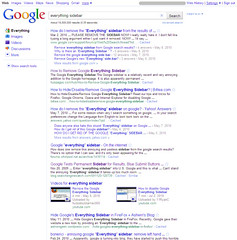
Have you noticed the changes Google has been making to the way they display search results? Google Instant has been the latest, but before that, there was the introduction of the “Everything” sidebar. And that one in particular seems to have upset numerous Google search fans. If you do a search in Google for “everything sidebar,” the first few results are about removing or hiding it.

Not only that, but the latest offering from the Funny Music Project is a song all about hating the Google “Everything” sidebar. The creator, Jesse Smith, expresses a frustration that many of us can identify with, “It’s hard to find a product that does what it does really well. In a world of mediocrity, it’s the exception that excels. Then some jerk has to justify his job by tinkering and jiggering and messing up the whole thing.”

Tech folks like to tinker. We like making things work better, or faster, or be more intuitive. I’ll bet that there are a lot of Google users who didn’t know about the different kinds of content-specific searches that Google offered, or had never used the advanced search tools. And they’re probably happy with the introduction of the “Everything” sidebar.

But there’s another group of folks who are evidently very unhappy with it. Some say it takes up too much room on the screen, that it adds complexity, and that they just don’t like the way it looks.

Cue ironic chuckling from me.

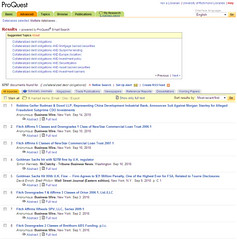
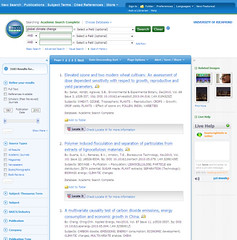
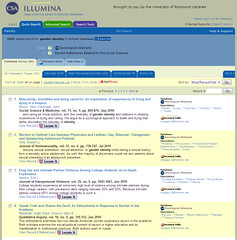
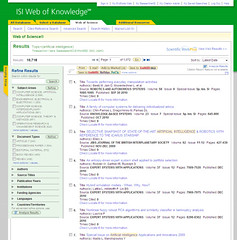
Let’s compare the Google search results screen with search results from a few of the major players in libraryland:

Google

ProQuest EBSCOhost

CSA Illumina ISI Web of Knowledge

So, who’s going to write a song about how much they hate <insert library database platform of choice>?

friggatriskaidekaphobiarelatusphobia

n. a strong aversion to endless news reporting about friggatriskaidekaphobia on Friday the 13th.

First, some definitions:

triskaidekaphobia n. fear or a phobia concerning the number 13. [source]

friggatriskaidekaphobia n. morbid, irrational fear of Friday the 13th. [source]

friggatriskaidekaphobiarelatusphobia n. a strong aversion to endless news reporting about friggatriskaidekaphobia on Friday the 13th. [source]

Yes, I made up that one.

From CBS to the Huffington Post to National Geographic, it seems that everyone in the news reporting world must drag out the same old tired stories about people that have an irrational fear of the number 13 and how Friday the 13th is an even more fearful day than Friday the 7th or Tuesday the 13th. Personally, I wish they’d just shut up about it already.

Friday the 13th is going to occur anywhere from once to three times a year. It’s frequent enough that it’s no longer news, so stop pretending that it is. Tell me something important that’s happening in the world today, rather than wasting my time and yours.

Article first published as Friggatriskaidekaphobiarelatusphobia, Or “Not Another Friday the 13th Story!” on Blogcritics.

swimming (or, trying not to drown myself)

This morning, I went lap swimming for the first time in six years. I tried to go on Tuesday, but the lifeguard was late, and I had to get to work. I was too tired/busy to go on Wednesday, and I knew that if I didn’t go today, it would be that much harder to get up and out of the apartment tomorrow morning.

When I arrived, lap swimming had been open for nearly 20 minutes already, and all but the one lane with the stairs were full. I knew I wasn’t going to be doing flip turns on my first day back, so I didn’t mind not having the wall on that end of the pool. I deposited my stuff on a bench near the stairs, and boldly stepped into the water, which was cool but not as frigid as I feared.

I dunked myself to wet down my hair, and then pulled on my goggles, making sure that I emptied as much water from them as I could. Then, I launched myself in to a freestyle stroke.

And floundered.

They say that you never forget how to ride a bike, but apparently, you can forget how to breathe when swimming. I could feel my lungs constricting as I panicked, and I quickly put my feet down and held my head above the water.

Thinking it was just a fluke, I tried again, with similar results. Resolved to do at least a lap before giving up entirely, I set off again with a modified breast stroke that left my mouth above the water so I could breathe normally.

It took me a lap and a half before I was willing to try freestyle again. Maybe it was because I’d gotten more comfortable with being in the water and my lizard brain calmed down, but I was much more successful after that point. I did a few more laps, pausing to catch my breath at the end of each length.

It’s a start. When I was at my peak swimming, I could freestyle a mile, pausing only infrequently. I know it will take me some time to get back to that condition, but I’m excited to do it. Swimming is by far my favorite athletic activity, but because I’ve been uncomfortable displaying my body in a swim suit, I’ve let myself make excuses.

No more excuses. I’m ready to get back in the pool.