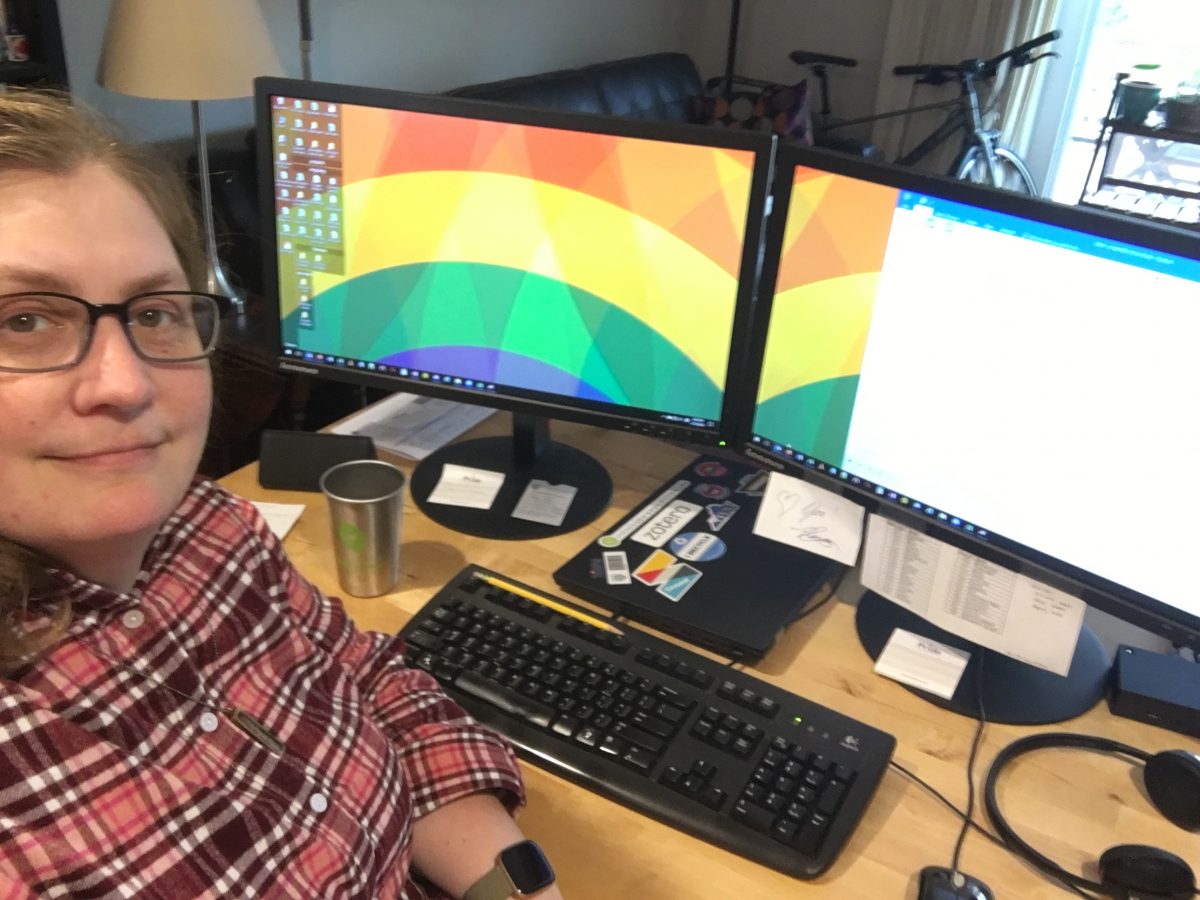
Anna Creech is a university librarian with two cats, glasses, comfortable shoes, and a fear of turning into a stereotype.
|
 an Austin classic
Speaker: Nancy Gibbs, Duke & TRLN
The consortia TRLN began in the 1930′s as a shared collection development strategy for print materials. They share a catalog, print repository, approval vendor database, and they collaborate on large and individual purchases. This was really easy in the print world. As of 2006, only 8% of print books were duplicated across all three schools (Duke, NCSU, & UNC-CH).
Then ebooks arrived. And duplication began to grow exponentially. Many of the collections can’t be lent to the consortia libraries, and as a result, everyone is having to buy copies rather than relying on the shared collections of the past.
Speaker: Michael Zeoli, YBP
YBP has seen a small increase in ebooks purchased by academic libraries, and a much larger decrease in the purchase of print books, despite acquiring Blackwell last year. This is true of the TRLN consoritum as well.
About 20% of the top 24 publishers are not working with PDA or consortia, and about half that do are not doing both. Zeoli tries to meet with publishers and show them the data that it’s in their best interest to make ebooks available at the same time as print, and that they need to also be include in PDA and consortia arrangements.
Consortias want PDA, but not all the content is available. Ebook aggregators have some solutions, but missing the workflow components. Publisher role is focused on content, not workflow. PDA alone for consortia is a disincentive for publishers, it ignores practical integration of appropriate strategies and tools, and it’s a headache for technical staff.
A hybrid model might look like Oxford University Press. There are digital collections, but not everything is available that way, so you need options for single-title purchases through several models. This requires the consortium, the book seller, and the publisher to work together.
Speaker: Rebecca Seger, OUP
The publishers see many challenges, not the least of which is the continued reliance on print books in the humanities and social sciences, although there is a demand for both formats. Platforms are not set up to enable sharing of ebooks, and would require a significant investment in time and resources to implement.
They have done a pilot program with MARLI to provide access to both the OUP platform and the books they do not host but make available through eBrary. [Sorry -- not sure how this turned out -- got distracted by a work email query. They'll be presenting results at Charleston.]
Questions:
How do MARLI institutions represent access for the one copy housed at NYU? Can download through Oxford site. YBP can provide them. The challenge is for the books that appear on eBrary a month later, so they are using a match number to connect the new URL with the old record.
And more questions. I keep zoning out during this part of the presentations. Sorry.
 photo by Josh Fassbind
Speakers: Annie Wu & Jeannie Castro
They used a HelpDesk Ticket for new subscriptions to manage the flow of information and tasks through several departments. Sadly, it’s not designed for ejournals management, and not enough information could be included in the ticket, or was inconsistently added. So, they needed to make some changes.
A self-initiated team decided a new workflow using a spreadsheet to keep the info and set up status alerts in SerialsSolutions. The alerts and spreadsheets facilitated the workflow through all departments.
A lengthy description of the process, spreadsheets, action logs, email alerts, and I’ve concluded that my paper checklist is still the best solution for my small library.
Challenges with their system included the use of color to indicate status (one staff is color blind, which is why the also use an action log), there is some overlap of work, and tracking unsolved problems is difficult. Despite that, they feel it is better than the old system. It’s a shared and transparent process, with decent tracking of subscriptions, and it’s easy to integrate additional changes in the process.
Speaker: Kate Montgomery
They initially had Meridian, and while it was great that they followed the ERMI standard, they didn’t need everything, so it was a sea of bits of data with lots of blank fields. Meridian is dead, so they had to look for alternatives. Considered Verde, but sensed that it was to be replaced by Alma. So, they had to decide whether to build their own tool, using an open source product, or purchasing something. They were limited by time, staffing, and money.
Ultimately, they decided to go with CORAL. They didn’t have to learn a lot of new skills (MySQL & PHP) to set it up and get it to work. Rather than looking at this as a whole lot of work, they took the opportunity to make a product that works for them. They reviewed and documented their workflows and set some standards.
CORAL can create workflows that trigger actions for each individual or group, depending on the item or situation. Hopes to use this to create buy-in from library departments and other small libraries around campus.
 photo by TheGiantVermin
Speaker: Anne Prestamo
You will not hear the magic rational that will allow you to cancel all your A&I databases. The last three years of analysis at her institution has resulted in only two cancelations.
Background: she was a science librarian before becoming an administrator, and has a great appreciation for A&I searching.
Scenario: a subject-specific database with low use had been accessed on a per-search basis, but going forward it would be sole-sourced and subscription based. Given that, their cost per search was going to increase significantly. They wanted to know if Summon would provide a significant enough overlap to replace the database.
Arguments: it’s key to the discipline, specialized search functionality, unique indexing, etc… but there’s no data to support how these unique features are being used. Subject searches in the catalog were only 5% of what was being done, and most of them came from staff computers. So, are our users actually using the controlled vocabularies of these specialized databases. Finally, librarians think they just need to promote these more, but sadly, that ship’s already sailed.
Beyond usage data, you can also look at overlap with your discovery service, and also identify unique titles. For those, you’ll need to consider local holdings, ILL data, impact factors, language, format, and publication history.
Once they did all of that, they found that 92% of the titles were indexed in their discovery service. The depth of the backfile may be an issue, depending on the subject area. Also, you may need to look at the level of indexing (cover to cover vs. selective). In the end, they found that 8% of the titles not included, they owned most of them in print and they were rather old. 15% of the 8% had impact factors, which may or may not be relevant, but it is something to consider. And, most of the titles were non-English. They also found that there were no ILL requests for the non-owned unique titles, and less than half were scholarly and currently being published.
 photo by QQ Li
Speakers: Carol J. Cramer & Derrik Hiatt
They did an analysis of their circulating print collection to see what areas or books would have the equivalent uses to trigger a purchase if it were electronic. Only 2% of their entire circulating collection met the trigger point to where it would be more cost effective to purchase than to go with a short term loan option.
They announced the DDA trial, but deliberately did not tell the users that it would incur cost, just that it was there. They would pay short term loans up to the sixth use, and then they would purchase the title. The year of usage gave them an idea of what adjustments needed to be made to the trigger point. Eventually, the cost flattens out at the sixth use, and the difference between continuing to pay STLs and buying the book is small.
They were able to identify if the triggered purchase book was used by a single person (repeatedly), by a class (several people), or a mix of both, and it was split in almost even thirds.
They determined that 6 was a good trigger. The STL cost ended up being an average of 10.5% of the list cost. DDA doesn’t have to break the bank, and was lower than expected. The number of titles in the catalog didn’t have as much to do with the amount spent as the FTE. It also lead to questioning the value of firm ordering ebooks rather than letting DDA cover it
However, this is only 11 months of data, and more longitudinal studies are needed.
Speaker: Lea Currie
They loaded records for slip books, and then the users have the option to request them at various levels of speed. The users are notified when the print book arrives, and the full MARC record is not loaded until the book is returned.
They saved quit a bit of money per month using this method, and 88% of the titles purchased circulated. Only about 75% of their ILL titles will circulate, to put that into perspective.
Of course, librarians still had some concerns. First, the library catalog is not an adequate tool for discovering titles. Faculty were concerned about individuals doing massive requests for personal research topics. Also, faculty do not want to be selectors for the libraries. [ORLY? They want the books they want when they want them -- how is that different?]
The next DDA project was for ebooks, using the typical trigger points. They convinced the Social Science and Sci/Tech librarians to put a price cap for DDA titles. Up to a certain price, the book would be included in the approval plan, between a range it would go in DDA, and then above that range it would require the librarian’s approval. These were written into their YBP profile.
For the pDDA, they discovered that as the books aged, it was harder to do rush orders since they were going out of print. They also modified their language to indicate that the books may not be available if they are out of print.
They have not done DDA for humanities or area studies. They based their decisions on the YBP profile on retrospective reports, which allowed them to get an idea of the average cost.
For FY12, they expect that the breakdown will be 23% eDDA, 50% pDDA, 20% approval, and 7% selected by subject bibliographers. They’ve also given the subject librarians the options to review the automatic approval ebooks — they have a week to reject or shift to DDA each title if they want. They can also shift the expensive titles to DDA if they want to see if anyone would use it before choosing to purchase it.
Questions:
Are you putting the records in your discovery service if you have one, and can you tell if the uses are coming from that or your catalog? Not yet. Implementing a discovery service. Some find resources through Google Scholar.
 photo by John Keogh
Speakers: Annis Lee Adams, Jon Ritterbush, & Christine E. Ryan
The discussion topic began as an innocent question on ERIL-L listserv about tools or techniques used in gathering feedback on database trials, whether from librarians or library users.
Trials can come from many request sources — subject librarians, faculty, students, and the electronic resources or acquisitions librarian. Adams evaluates the source and their access points. Also, they try to trial things they are really interested in early enough in the year to be able to request funding for the next year if they choose to purchase it. She says they don’t include faculty in the evaluation unless they think they can afford the product.
Criteria for evaluation: content, ease of use/functionality, cost, and whether or not a faculty member requested it. One challenge is how to track and keep an institutional memory of the outcome. They use an internal blog on WordPress to house the information (access, cost, description, and evaluation comments) with password protection on each entry. After the trial ends, the blog entry is returned to draft status so it’s not there, and a note is added with the final decision.
The final thing Adams does is create a spreadsheet that tracks every trial over a year, and it includes some renewals of existing subscriptions.
Ritterbush… lots of no-brainer stuff. Is it relevant to your collection development policy? Can you afford it? Who is requesting it? And so on.
Avoid scheduling more than three trials simultaneously to avoid “trial fatigue.” Ritterbush says they only publicize extended trials (>3 months) — the rest are kept internal or only shared with targeted faculty.
For feedback, they found that email is a mediocre solution, in part because the responses weren’t very helpful. The found that short web forms have worked better, incorporating a mix of Likert scale and free-text questions. The tool they use is Qualtrics, but most survey products would be fine.
Ritterbush tries to compose the trial information as a press release, making it easy for librarians and faculty to share with colleagues. A webinar or live demonstration of the product can increase interest and participation in the evaluation.
Ryan says you need to know why you are doing the trial, because that tells you who it will impact and then what approach you’ll need to take. Understand your audience in order to reach them.
Regardless of who is setting up the trials, it would be good to have a set of guidelines for trials that spells out responsibilities.
Kind of tuning out, since it seems like Ryan doesn’t really do anything directly with trials — just gives all that over to the subject liaisons. This would be disastrous at my library. Also, really not happy about her negative attitude towards public trials. If it’s IP-based, then who cares if you post it on your website? I’ve received invaluable feedback from users that would never see the trials if I followed Ryan’s method.
Questions:
What about trials to avoid expensive subscriptions? Some libraries will do it, but some have policies that prohibit it. [We have had sales agents recommend it to us, which I've never understood.]
How do you have trials for things when you don’t know if you have funding for them? Manage expectations and keep a healthy wishlist. [We will also use trials to justify funding increases or for replacing existing subscriptions with something new.]
|
Anna has
read 3 books toward her goal of 25 books.
|